Halo Tutorial
Quick Help Videos
- Resetting Wifi Connection
- Messing With Colors
- Creating Custom Patterns (Basic)
- How to Control Smart Bulbs with App
- How to Set Up Smart Light Schedules
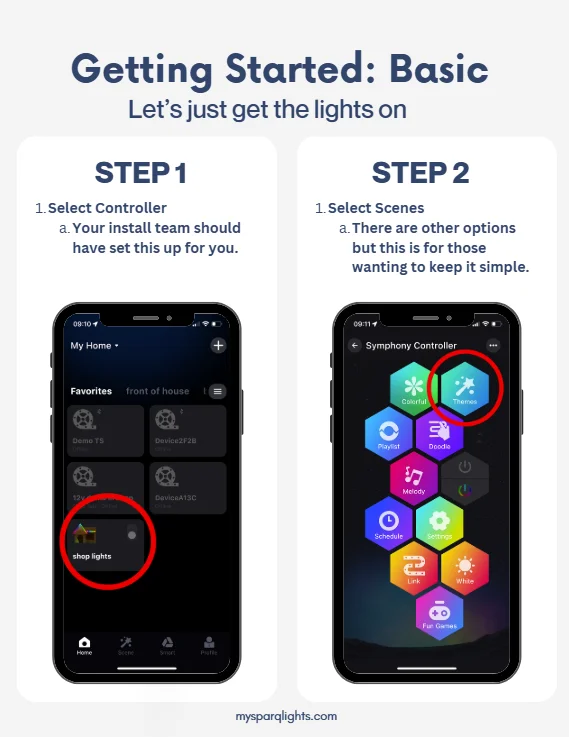
Getting Started
Learn how to use the Halo app, customize your lights, adjust settings, and make the most of your system. Click below to get started.
Dancing to Music
If you're excited to see your lights dance to music, you'll have to do a little work.
You'll want to disconnect your system from wifi and connect via bluetooth and then you'll be allowed to. Once finished, you'll have to reset the connection and connect back up to your wifi.
Create Your Own Color of White
If you are trying to match the color of your Lighting to existing exterior lights, turn on your existing lights that you are trying to match.
Start by trying one of the RGB number combos and go from there.
To be honest, this is a difficult color to find but very doable and you just have to play with it. Most colors are personal preference.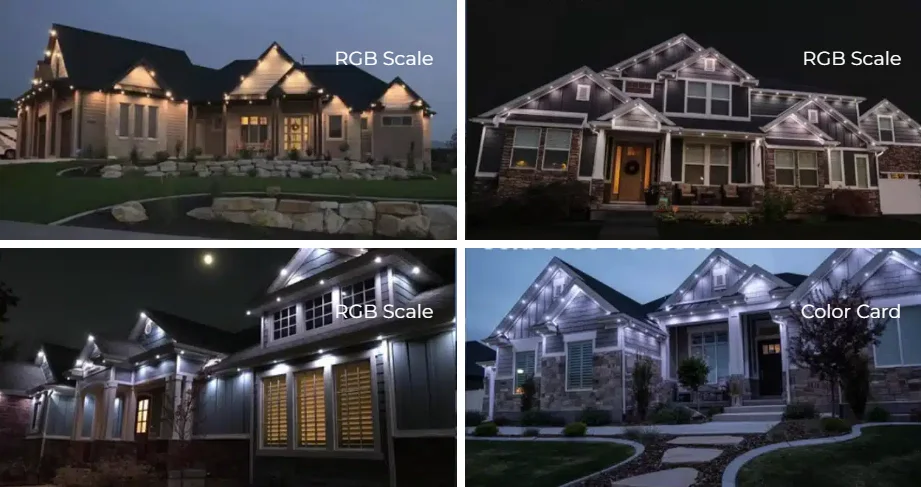
The Sparq Lighting Difference
From custom planning to clean installation and ongoing support, we’re committed to getting every part of your lighting project right.
-
Free Estimates
Get a clear, no-obligation estimate tailored to your property.
-
Experience That MattersYears of experience delivering quality installations with attention to detail.
-
Support That LastsOngoing support to keep your lighting system looking and working its best.
-
Local & Community-FocusedLocally owned and committed to serving our community for years to come.
-
Lighting Designed for YouCustom lighting plans tailored to your home, goals, and budget.
-
Clear, Honest GuidanceExpert recommendations tailored to your property, style, and goals.